|
|
本帖最后由 hxj 于 2014-10-21 20:05 编辑
官方10月6日又发布了WinRAR 5.20 beta 1,目前只有英文版,还没有中文版。我对英文版进行汉化修改,提供WinRAR 5.20 beata 1 简体中文版供大家下载测试。
官方10月20日又发布了WinRAR 5.20 beta 2
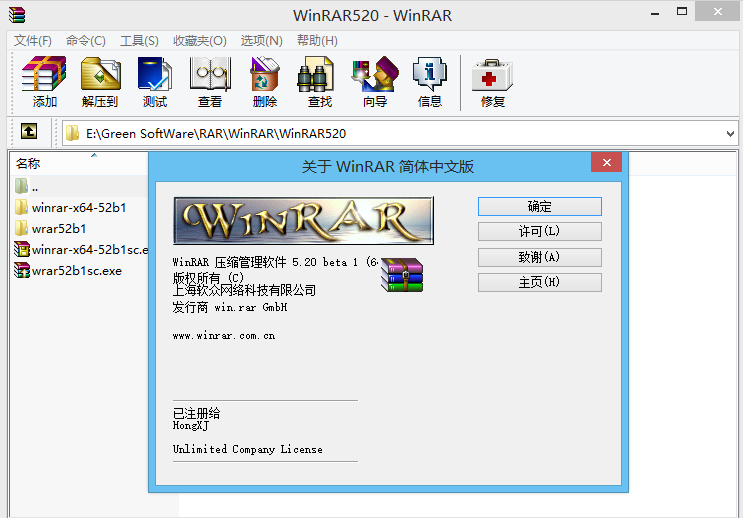
更新内容:
▼WinRAR 5.20 beta1更新日志:
现在可以使用WinRAR.ini文件来存储WinRAR的相关设置。
增加对ZIP、ZIPX文件解压XZ算法的支持。
Windows右键菜单中增加“使用WinRAR打开选项”。
命令“CH”支持ZIP压缩文件,并增加数个命令后缀,例如“-tl”、“-cu”、“-cl”。
“保留损坏的文件”功能支持bzip2压缩文件格式。
支持高DPI分辨率屏幕。
通过注册表,现在可以禁用基本测试功能。
现在可以同时使用”-si“和”-v“命令后缀。
FAT32分区格式下解压文件体积超过4GB会给出警示信息。
”Select all“更名为”Toggle all“
更多更新内容:
Version 5.20 beta 1
1. If Windows User Account Control prevents extracting or archiving
commands to create files in system protected folders, WinRAR attempts
to start its another copy with administrator privileges to complete
the operation. It is necessary to confirm privileges elevation
in response to User Account Control prompt to allow such second
WinRAR copy to run.
2. You can drag files in Explorer with right mouse button, drop them
to some folder and select WinRAR archiving commands in context menu
to create an archive with these files in the destination folder.
3. It is possible to use WinRAR.ini file instead of Registry to store
WinRAR settings. You may prefer such approach if you plan to install
WinRAR to removable media, such as USB flash drive, and then run it
on different computers.
See "WinRAR.ini file" topic in "Configuration settings" chapter
of WinRAR help for details.
4. Added extraction support for ZIP and ZIPX archives using
XZ compression algorithm.
5. If ZIP or ZIPX archive contains any compression algorithms except
usual "Store" or "Deflate", algorithm names are displayed
in "Version to extract" field of archive information dialog.
Algorithms with names unknown to WinRAR will be assigned "m"
name, where "num" is a compression algorithm numeric identifier.
6. "Open with WinRAR" command is available in Windows context menus
for archive formats supported by WinRAR. It can be turned off
with "Open with WinRAR (for usual archives)" option in WinRAR
"Settings/Integration/Context menu items..." dialog.
7. Command line RAR can read the default set of switches from rar.ini
file stored in RAR program folder. Previously it was possible to
define only the same set of switches for all RAR command with
"switches=" string. Now rar.ini also allows to specify
separate switch sets for individual RAR commands using
the following syntax:
switches_=
For example:
switches_a=-m5 -s
switches_x=-o+
8. Command "ch" supports switches -tl, -cu, -cl also for ZIP archives.
Previously "ch" allowed these switches only for RAR archive format.
9. For archive formats lacking file time information, such as .bz2,
.xz and .Z, WinRAR sets container archive modification time
to extracted files. It does not apply to tar.bz2, tar.xz and tar.Z,
which use file time stored in tar headers.
10. "Keep broken files" extraction option is supported for bzip2 archives.
11. WinRAR icon in Windows context menus is scaled up correctly
in high DPI screen modes such as 150% or 200% of normal text size.
12. It is possible to disable WinRAR "Benchmark" command with
"Benchmark" variable of HKEY_CURRENT_USER\Software\WinRAR\Policy
Registry key. In multi-user environment "Benchmark" command might
abuse shared computational resources. See "Registry variables" topic
in "Configuration settings" chapter of WinRAR help for more details.
13. Additionally to "sfxcmd" variable containing the entire command line,
SFX module sets "sfxpar" variable containing command line parameters
only, without leading SFX module name. These variables are set before
starting a program specified in "Setup" command.
14. File overwrite prompt in console RAR displays the size and modification
time for existing and new files.
15. When archiving from stdin with -si switch, RAR sets the current system
time to modification time of archived file. Previous version did not
set this time at all.
16. It is possible to use -si and -v switches together. Previous
versions did not allow to create volumes when archiving from stdin.
17. Warning is issued when starting unpacking 4 GB or larger file
from RAR or ZIP archive to FAT32 patition, so user may cancel
the operation. FAT32 does not support files of such size.
Also this warning is issued when starting to create RAR archive
with "Store" (-m0) method if estimated archive size is 4 GB or more.
18. "Select all" button in "Settings/Integration" dialog is renamed to
"Toggle all". Now it deselects archive formats if all they are
already selected.
19. "Delete archive" extraction option correctly removes all .zip and .7z
volumes. Previously it removed only the first volume in the set
for these archive formats.
VirSCAN在线病毒扫描结果:1/39只有费尔报毒
http://r.virscan.org/report/a2efe8f44981f631cd17490b73c7555e
http://r.virscan.org/report/188a6bc70b4999a8afcfbe295d90c59b
wrar52b1sc.exe(1.77M)
http://pan.baidu.com/s/1c0w7EHa
http://yunpan.cn/cgjFgdmjdhFrP (提取码:d162)
winrar-x64-52b1sc.exe(1.94M)
http://pan.baidu.com/s/1ntG8inv
http://yunpan.cn/cgjFgdmjdhFrP (提取码:d162)
2014年10月20日
wrar52b2sc.exe(1.77M)
http://pan.baidu.com/s/1eQtMfIi
http://yunpan.cn/csJaPYNKvcYPv (提取码:50dc)
winrar-x64-52b2sc.exe(1.94M)
http://pan.baidu.com/s/1dD7vtdB
http://yunpan.cn/csJaBkTd6UvRA (提取码:7df5) |
|

 闽公网安备35020302032614号 )

 IP卡
IP卡 狗仔卡
狗仔卡 发表于 2014-10-7 01:41:00
 提升卡
提升卡 沉默卡
沉默卡 喧嚣卡
喧嚣卡 变色卡
变色卡 千斤顶
千斤顶 显身卡
显身卡