今天與AI聊天關於引導的時候它推薦了Rescatux & Super Grub2 Disk
Get back to your GNU/Linux & Windows computers !Skip to content
Search for:
Super Grub2 Disk
Super GRUB2 Disk helps you to boot into most any Operating System (OS) even if you cannot boot into it by normal means.
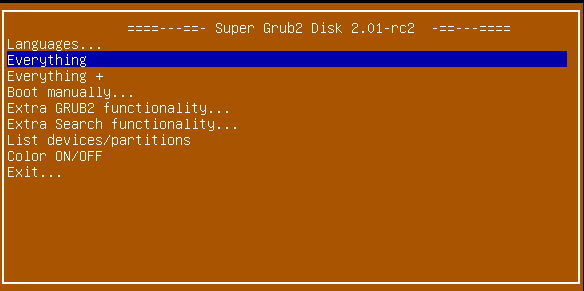
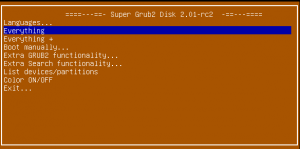 Super Grub2 Disk 2.01 rc2 Main MenuTour Super Grub2 Disk 2.01 rc2 Main MenuTour
Here there is a little video tour in order to discover most of Super Grub2 Disk options. The rest of the options you will have to discover them by yourself. Features
- Change the language UI
- Translated into several languages
- Spanish / Español
- German / Deutsch
- French / Français
- Italian / Italiano
- Malay / Bahasa Melayu
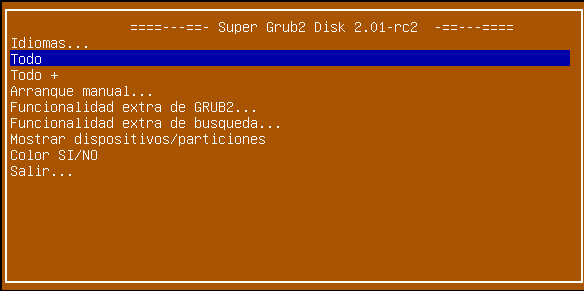
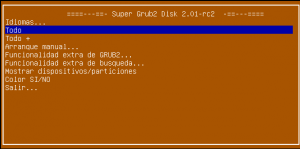 Super Grub2 Disk 2.01 rc2 Spanish Main Menu Super Grub2 Disk 2.01 rc2 Spanish Main Menu- Everything option to detect most Operating Systems
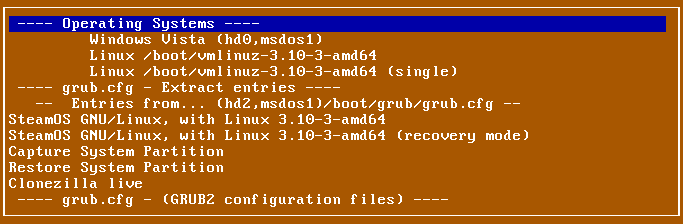
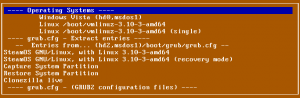 Super Grub2 Disk 2.01 beta 3 – Everything menu making use of grub.cfg extract entries option functionality Super Grub2 Disk 2.01 beta 3 – Everything menu making use of grub.cfg extract entries option functionality- Everything plus option to detect most Operating Systems also in special devices or filesystems
- Boot manually
- Operating Systems
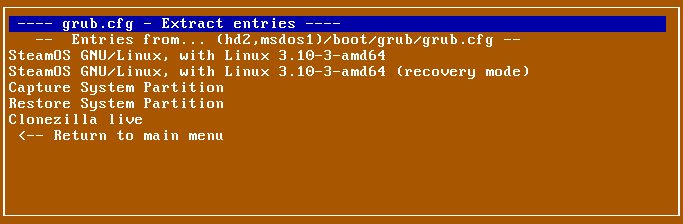
- grub.cfg – Extract entries
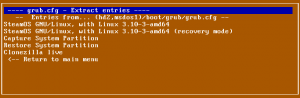 Super Grub2 Disk 2.01 beta 3 grub.cfg Extract entries option Super Grub2 Disk 2.01 beta 3 grub.cfg Extract entries option - grub.cfg – (GRUB2 configuration files)
- menu.lst – (GRUB legacy configuration files)
- core.img – (GRUB2 installation (even if mbr is overwritten))
- Bootable ISOs (in /boot-isos or /boot/boot-isos
- Extra GRUB2 functionality
- Enable GRUB2’s LVM support
- Enable GRUB2’s RAID support
- Enable GRUB2’s PATA support (to work around BIOS bugs/limitation)
- Mount encrypted volumes (LUKS and geli)
- Enable serial terminal
- Extra Search functionality
- Search in floppy ON/OFF
- Search in CDROM ON/OFF
- List Devices / Partitions
- Color ON /OFF
- Exit
- Halt the computer
- Reboot the computer
Supported Operating Systems
- Windows
- Windows Vista/7/8/8.1
- Windows NT/2000/XP
- Windows 98/ME
- MS-DOS
- FreeDOS
- GNU/Linux
- Direct Kernel with autodetected initrd
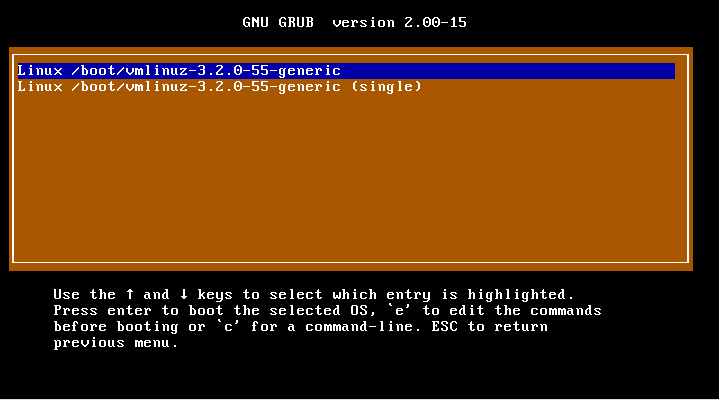
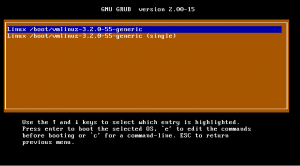 Super Grub2 Disk – Detect any Operating System – Linux kernels detected Super Grub2 Disk – Detect any Operating System – Linux kernels detected
- vmlinuz-*
- linux-*
- kernel-genkernel-*
- Debian / Ubuntu / Mint
- Mageia
- Fedora / CentOS / Red Hat Enterprise Linux (RHEL)
- openSUSE / SuSE Linux Enterpsise Server (SLES)
- Arch
- Any many, many, more.
- FreeBSD
- FreeBSD (single)
- FreeBSD (verbose)
- FreeBSD (no ACPI)
- FreeBSD (safe mode)
- FreeBSD (Default boot loader)
- EFI files
- Mac OS X/Darwin 32bit or 64bit
Support for different hardware platforms
- Most any PC thanks to hybrid version (i386, x86_64, x86_64-efi) (ISO)
- EFI x86_64 standalone version (EFI)
- Additional Floppy, CD and USB in one download (ISO)
- coreboot
- i386-efi
- i386-pc
- ieee1275
- x86_64-efi
- Additional standalone versions
- coreboot (IMG)
- i386-efi (EFI)
- ieee1275 (IMG)
Supported Media
- Compact Disk – Read Only Memory (CD-ROM)
- Universal Serial Bus (USB) devices
- Floppy (1.98s1 version only)
Other documentation
Proudly powered by WordPress  Hosted by bTactic: Hosted by bTactic: 
We use cookies to ensure that we give you the best experience on our website. If you continue to use this site we will assume that you are happy with it.Ok
|

 闽公网安备35020302032614号 )

 IP卡
IP卡 狗仔卡
狗仔卡 发表于 2026-5-30 06:11:27
 提升卡
提升卡 沉默卡
沉默卡 喧嚣卡
喧嚣卡 变色卡
变色卡 千斤顶
千斤顶 显身卡
显身卡
